Auto Auth Filler
Auto Auth Filler reduces the friction in email verification. It detects the code in your latest Gmail message and fills it into the one-time-code field on the page you are signing in to, so you stop switching to your inbox to copy six digits by hand.
See it work
Just under two minutes, from installing to a code arriving and filling itself in.
How it works
-
You sign in with Google once, granting the
gmail.readonlyscope. The extension cannot send, delete or change any mail. - When you land on a page with a verification field, the extension recognises it and searches your recent Gmail messages for a matching code.
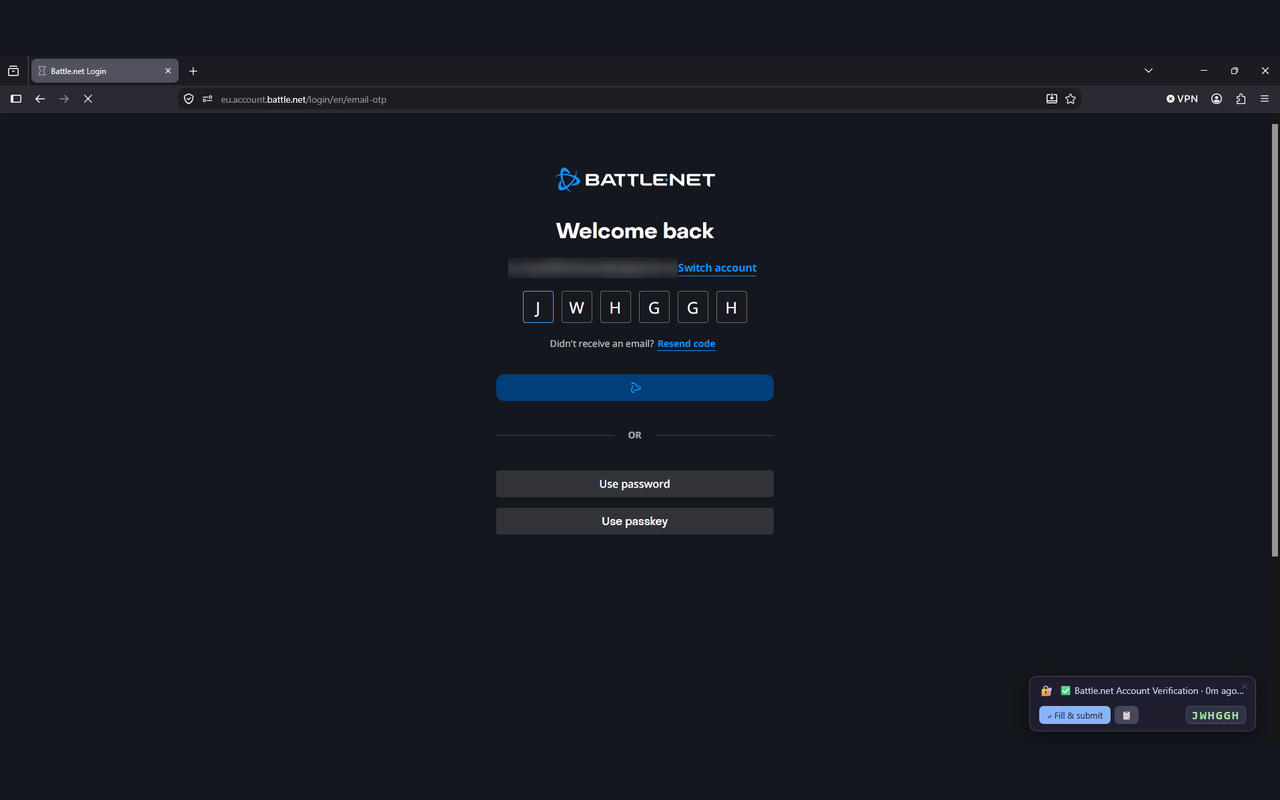
- The code is entered, and the overlay shows which email it came from and how long ago it arrived. Filling can be switched off if you would rather click each time.
A code is only entered when its sender matches the site you are on. That is what stops one service's code being typed into another's form.
What it does
No list of supported sites
Code fields are recognised from the form itself: the field name, its label, how many characters it takes and the wording around it. There is nothing to configure per website.
Handles the awkward formats
Six to eight digits, alphanumeric codes, hyphenated ones like
BYF-4UI, Google's G-XXXXXX style and split
boxes where each character has its own input.
Optional auto-submit
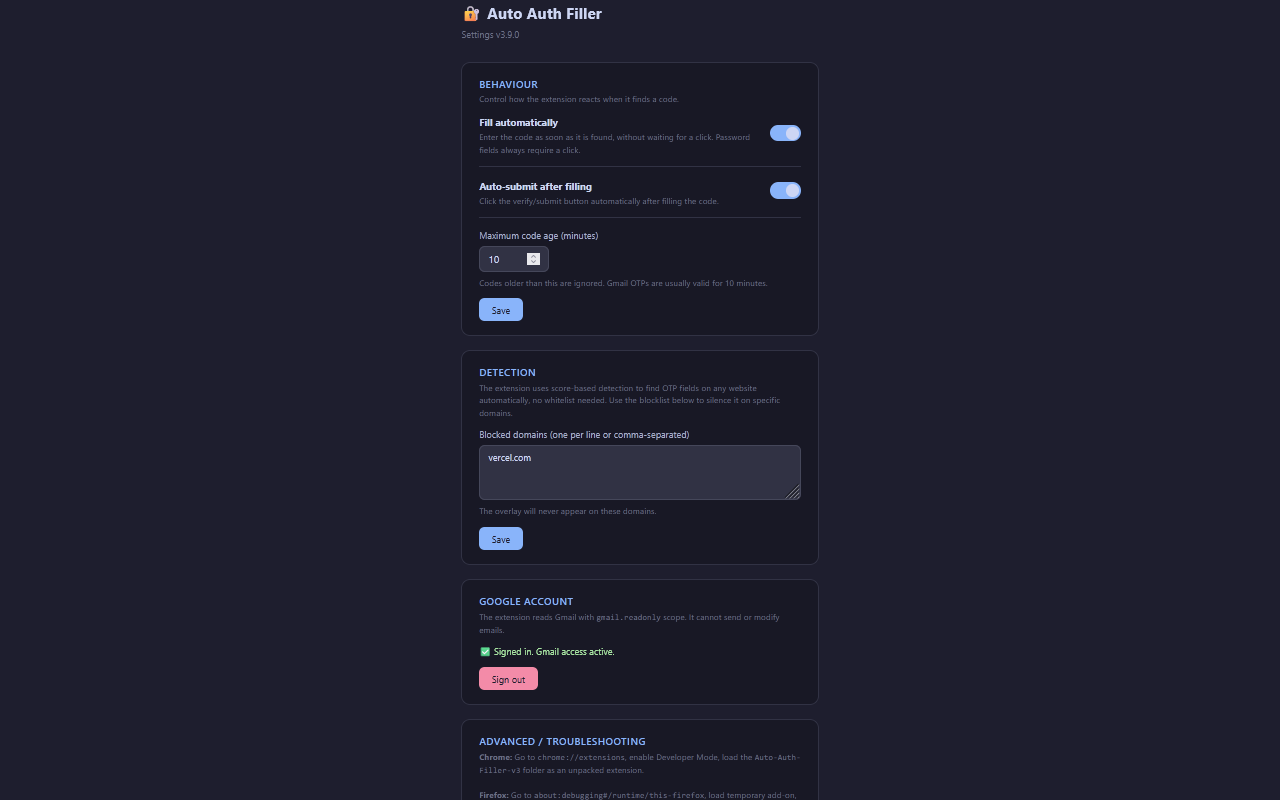
The form can be submitted for you once the code is in. Off is a single toggle away, and password fields always wait for a deliberate click.
Three languages
English, German and Italian, in the interface and in the code
detection. German compounds like Bestätigungscode are
recognised, which a plain word boundary would miss, and Italian
codice di sicurezza is read as a card number on a
checkout page and as a one-time code anywhere else.
Payment forms are left alone
Card fields are refused outright, on the browser's own autocomplete tokens and on card wording in both languages, so a code is never typed into a checkout form.
Per-domain blocklist
Any site can be silenced from the settings page, and the overlay will never appear there again.
What you actually see
What leaves your machine
Everything happens inside your browser. There is no server, no account and no analytics. The only network requests go directly to Google, to read your own mail on your behalf.
The single permission requested is gmail.readonly. Message
contents are held in memory only for as long as it takes to look for a
code, then discarded. Nothing is written to disk and nothing is logged.
Full detail, including the Google API Services Limited Use disclosure, is in the privacy policy.
Get it
Installing from a store needs no Google credentials of your own. Safari is not supported; the reasons are in the FAQ. To run it from source instead, the steps are in the documentation.